Saymail for iPhone and Android
Saymail for iPhone and Android
The email app that only interrupts you when it matters.
Saymail scores every message as it arrives, and your notifications follow the score. Free, and it shares one account with the desktop app.*
Free to install. No Saymail account needed.
* On iPhone, for now: every new email in a Gmail or Outlook account notifies you, unfiltered, and other IMAP accounts (including iCloud) show new mail only when you open the app. For those accounts you can switch on instant notifications per account in the app's account settings. The importance filter still works inside the app. Filtered iPhone notifications follow once Apple grants the required permission. Android and desktop already filter.
The app itself is available in English, Dutch and German.
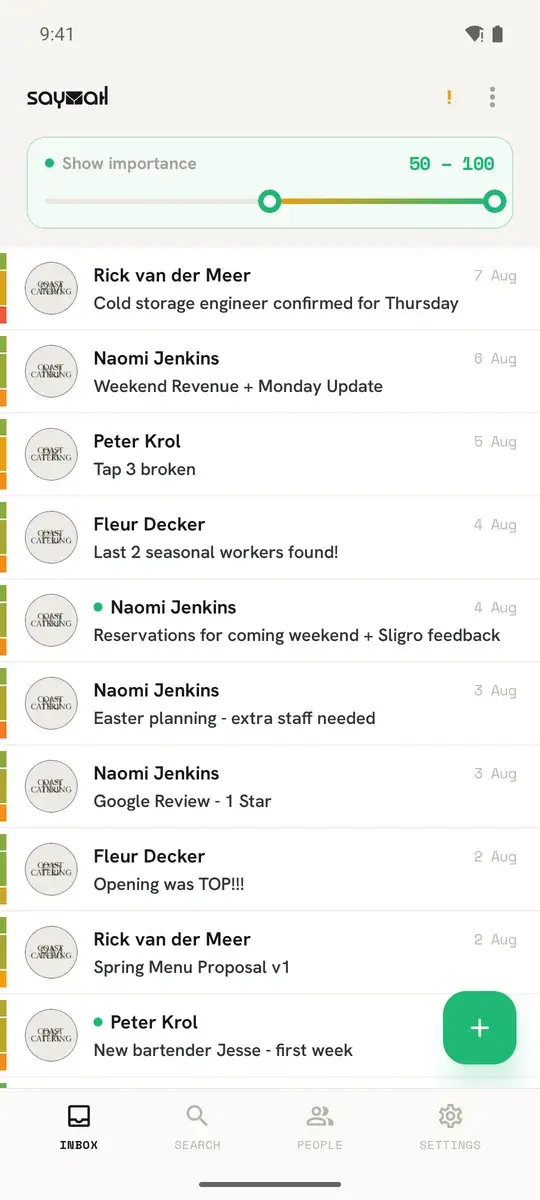
What it looks like
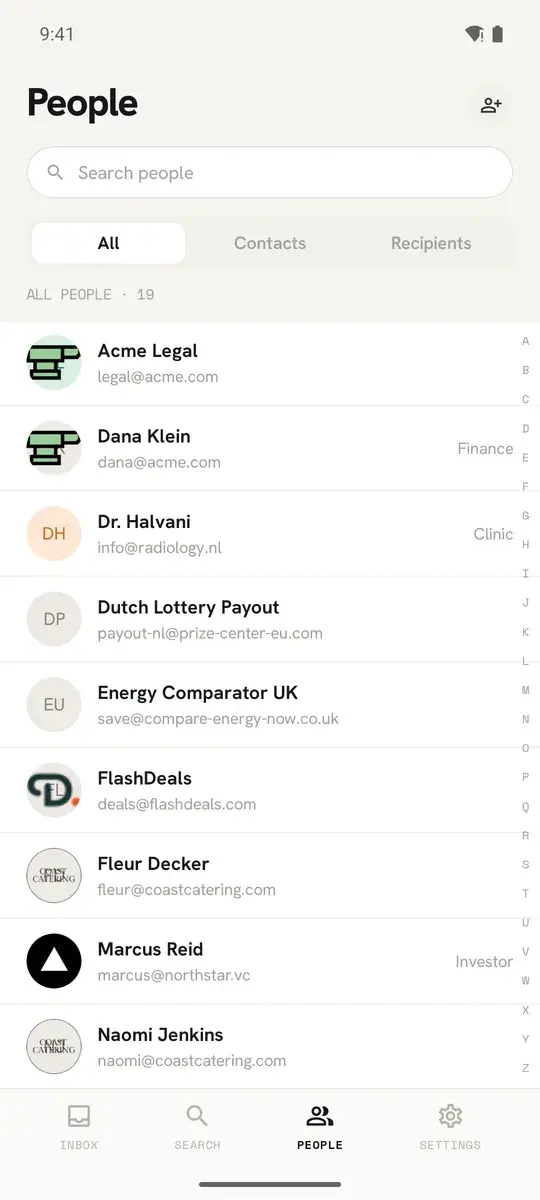
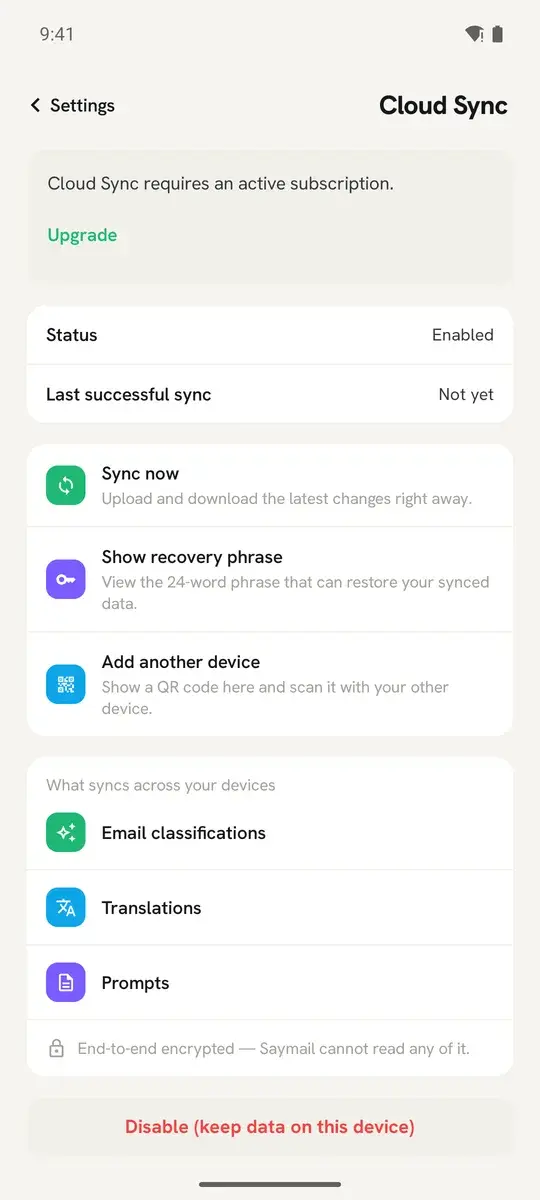
Real screens from the current build, on demo data.
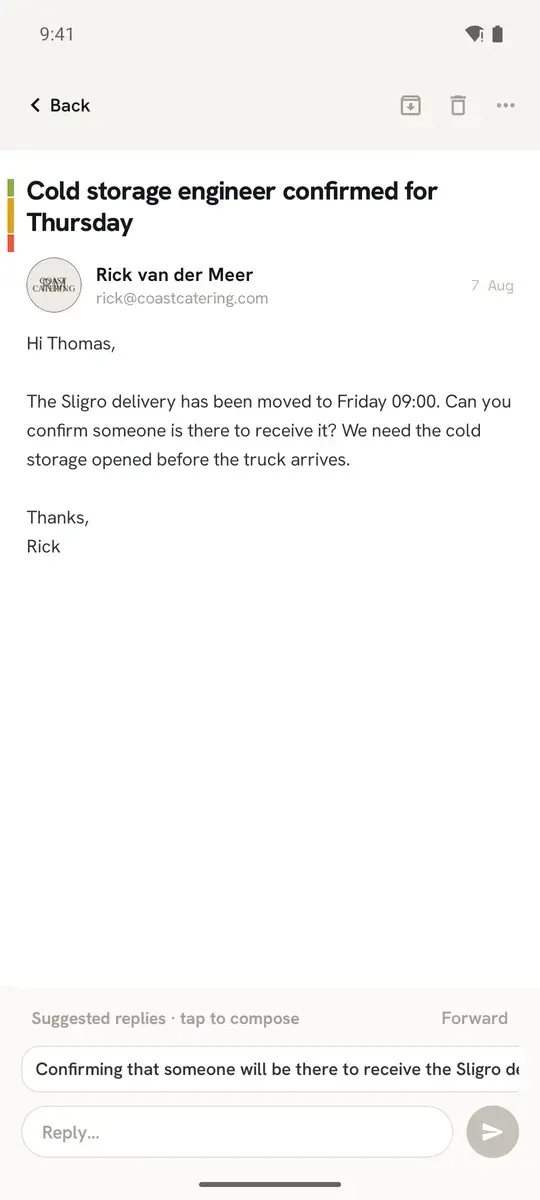
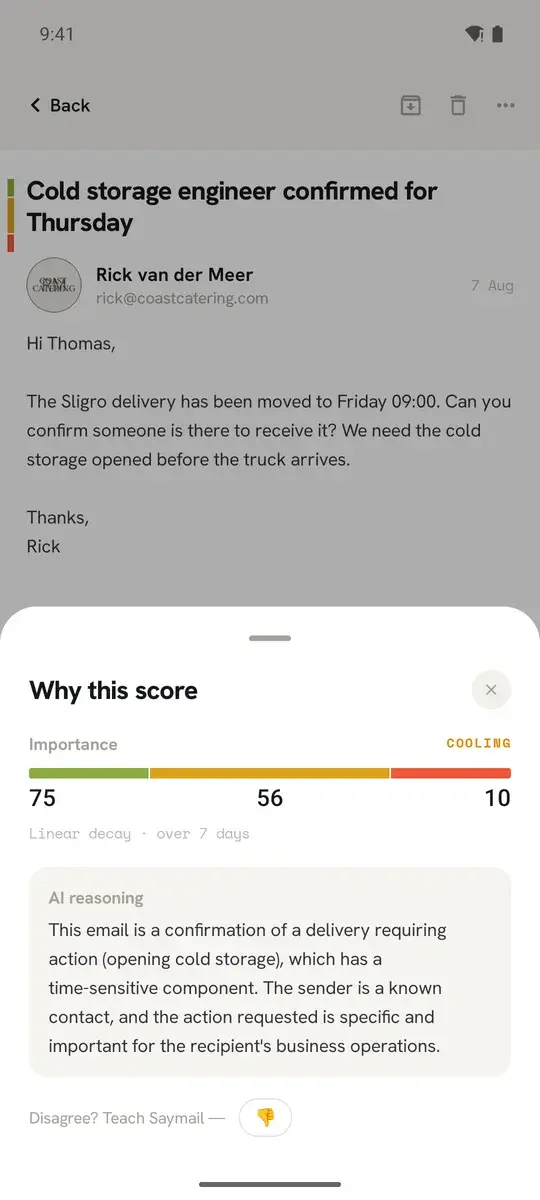
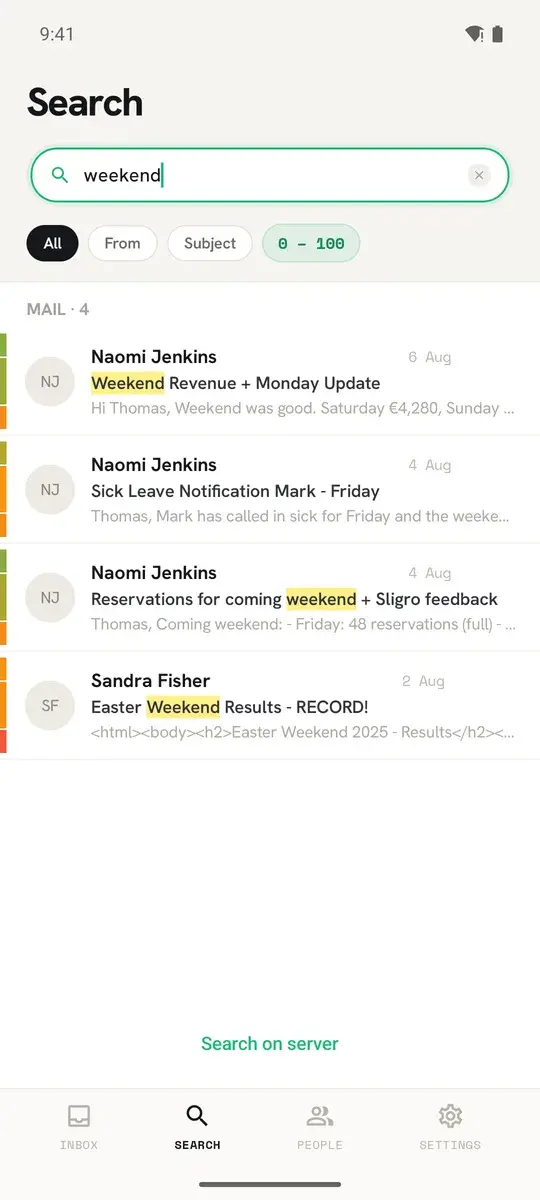
Get it on Android
Free to install, free to keep, and it shares one account with the desktop app.
Get it on iPhone
Free to install, free to keep, and it shares one account with the desktop app.
* On iPhone, for now: every new email in a Gmail or Outlook account notifies you, unfiltered, and other IMAP accounts (including iCloud) show new mail only when you open the app. For those accounts you can switch on instant notifications per account in the app's account settings. The importance filter still works inside the app. Filtered iPhone notifications follow once Apple grants the required permission. Android and desktop already filter.

What the phone app does
- All your accounts - IMAP, Gmail and Outlook, same as the desktop
- Importance scoring with the reason written out, and teaching when it is wrong
- Push notifications, filtered by score on Android. On iPhone, for now, every new Gmail or Outlook email notifies you unfiltered, and other IMAP accounts only when you open the app
- Read, reply, forward and compose
- Search across accounts, and a people list
- Profiles and classification prompts
- Cloud Sync, so it inherits what your desktop already learned
What still lives on the desktop
- The dockable panel workspace and layouts
- The MCP server for external AI assistants
- Rules and bulk mailbox maintenance
Same account, same rules
The Android and iPhone apps are free exactly like the desktop app and draw on the same credit balance. Cloud Sync and credit packs are bought inside the app, and a Cloud Sync subscription covers every device you use, desktop included.
How it decides
- 1Every message gets a score the moment it arrives, and a reason you can read.
- 2Importance fades. A reminder that mattered this morning stops shouting by tomorrow.
- 3Disagree once and the correction goes into your own prompt. No rules to write.
- 4On Android, notifications follow the score, so the quiet mail stays quiet. On iPhone, for now, every new Gmail or Outlook email notifies you and other IMAP accounts wait for you to open the app; the score-sorted inbox is the same.
Frequently Asked Questions
Is there a phone app?
Yes. Saymail is a native app on iPhone and Android, free like the desktop app, on the same credits and the same plan.
Why do I get a notification for every email on my phone?
On iPhone, for Gmail and Outlook accounts, yes, for now. iOS does not let Saymail score a message in the background, so when Google or Microsoft tells our server that mail has arrived, the server sends a content-free "new email" push and the app scores the message when you open it. Other IMAP accounts, including iCloud, send no such signal, so on iPhone they show new mail only when you open the app. For those accounts you can switch on instant notifications per account in the app's account settings; our notification service then holds the connection to the mailbox and sends the same content-free push. The importance filter, the slider and the sorted inbox work exactly as on Android. Filtered notifications on iPhone depend on a permission we have applied for with Apple; we will switch them on as soon as it is granted. On Android, notifications already follow the bar you set.
What does Cloud Sync actually sync?
What the AI has learned: importance scores and classifications, your prompts, its notes on senders and accounts, and translations. It never syncs your emails, your passwords or your address book - those stay where they already are. Everything is end-to-end encrypted, so we hold ciphertext we cannot read. You pair a device with a QR code or a 24-word recovery phrase.
Is Saymail really free?
Yes. The email client has no time limit, needs no account and asks for no card - it is not a limited version that expires. Every account, folder, rule, profile, theme and future update is included. The only thing money buys is AI: our credits, a one-time unlock for your own AI key, or the Cloud Sync subscription. The AI is the separate thing: it runs on the free credits every install starts with, or on your own AI key, or on a local model.
What is a credit, and how many do I get?
One credit pays for one AI request: scoring one email, one translation, one suggested draft. If the request fails, the credit comes straight back. Every install starts with 50 credits, and 20 more arrive every week with regular use, once a Gmail or Outlook mailbox is connected. Credits do not expire, and your balance is in the app under status.